Admin Manual
Complete guide for managing the web application. Please refer to this manual for detailed instructions.
Dashboard
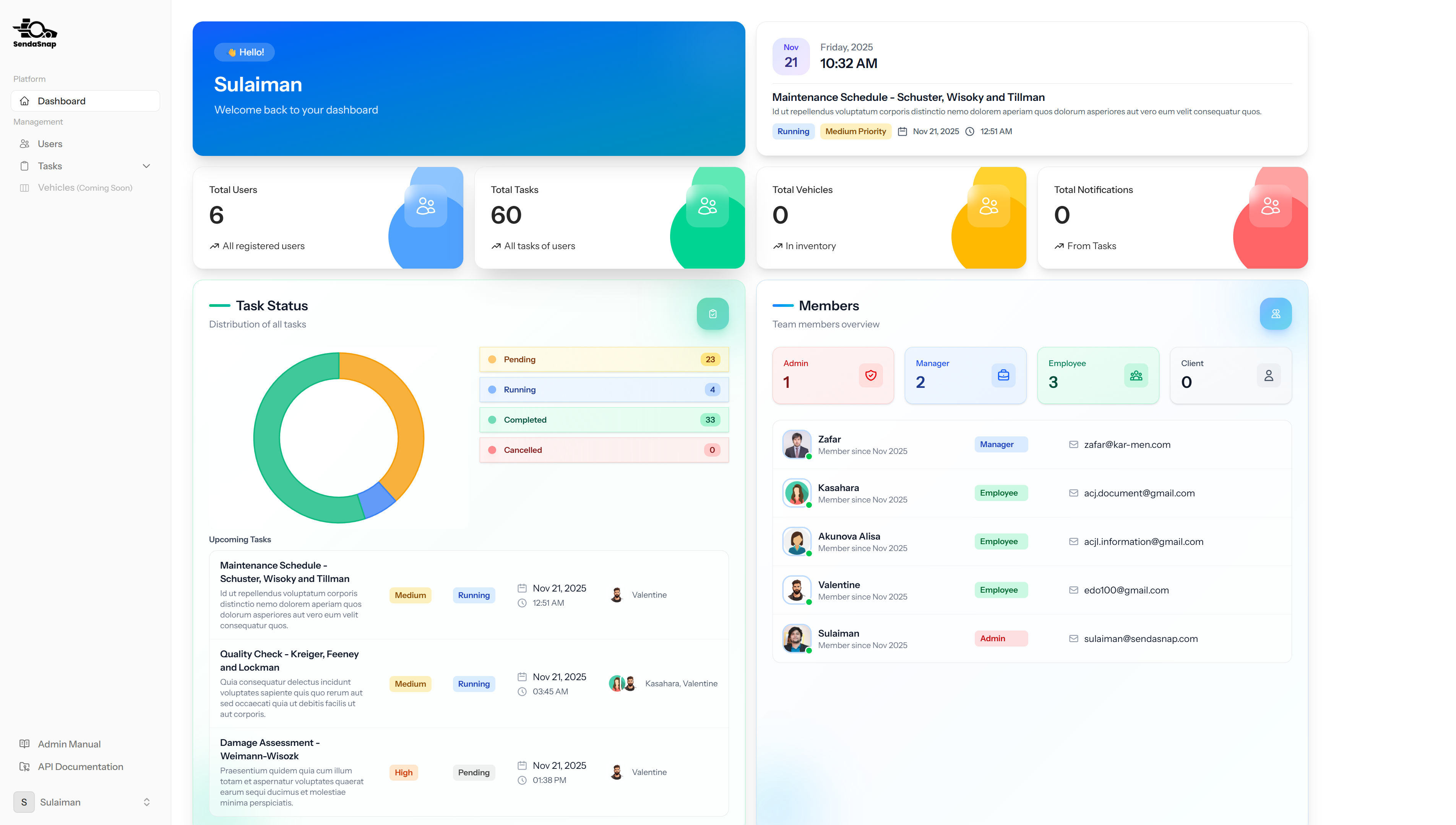
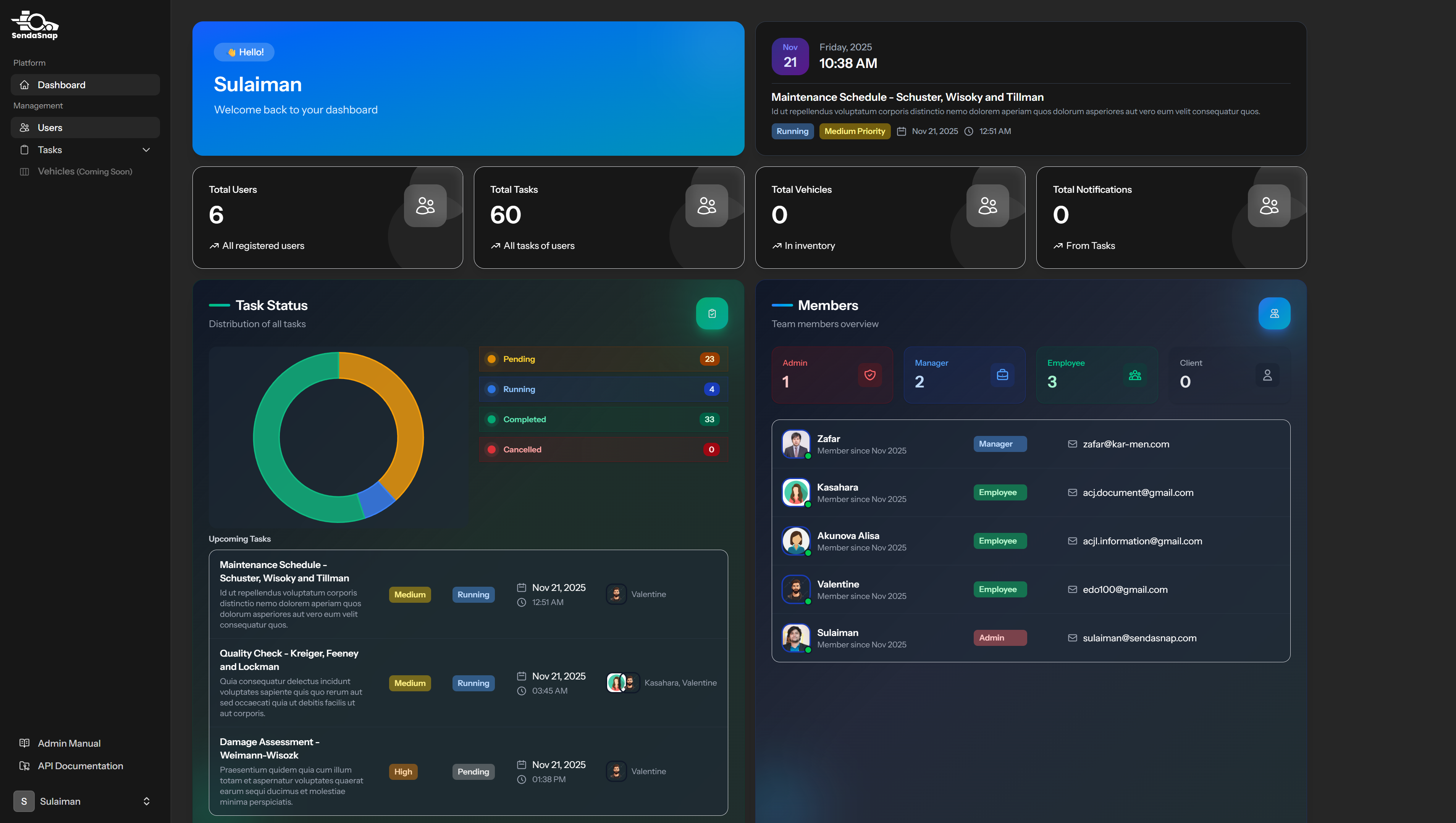
The dashboard provides an overview of your application with key statistics, charts, and upcoming tasks. This is the main landing page after logging into the system.
Light Mode
Dark Mode
Dashboard Features
- Welcome card displaying personalised greeting with user name
- Date and time card showing current date, time, and next upcoming task
- Statistics cards displaying total users, tasks, vehicles, and notifications
- Task status chart showing distribution of tasks by status (Pending, Running, Completed, Cancelled)
- Upcoming tasks table displaying the next 3 tasks sorted by work date and time
- Members table showing team members with role counts
User Management
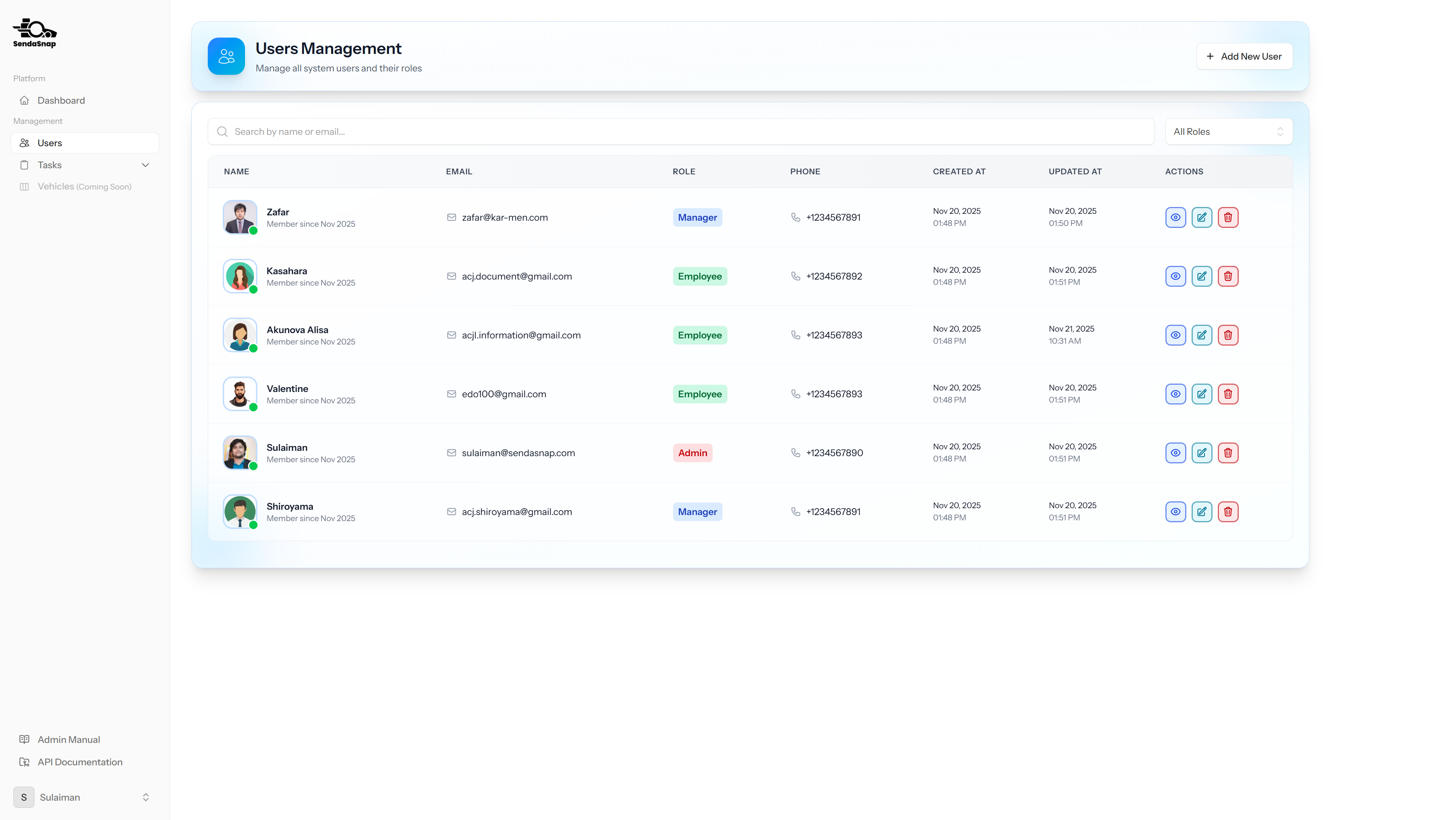
The user management section allows administrators to view, create, edit, and manage all users in the system. You can assign roles, update user information, and manage user access permissions.
User List
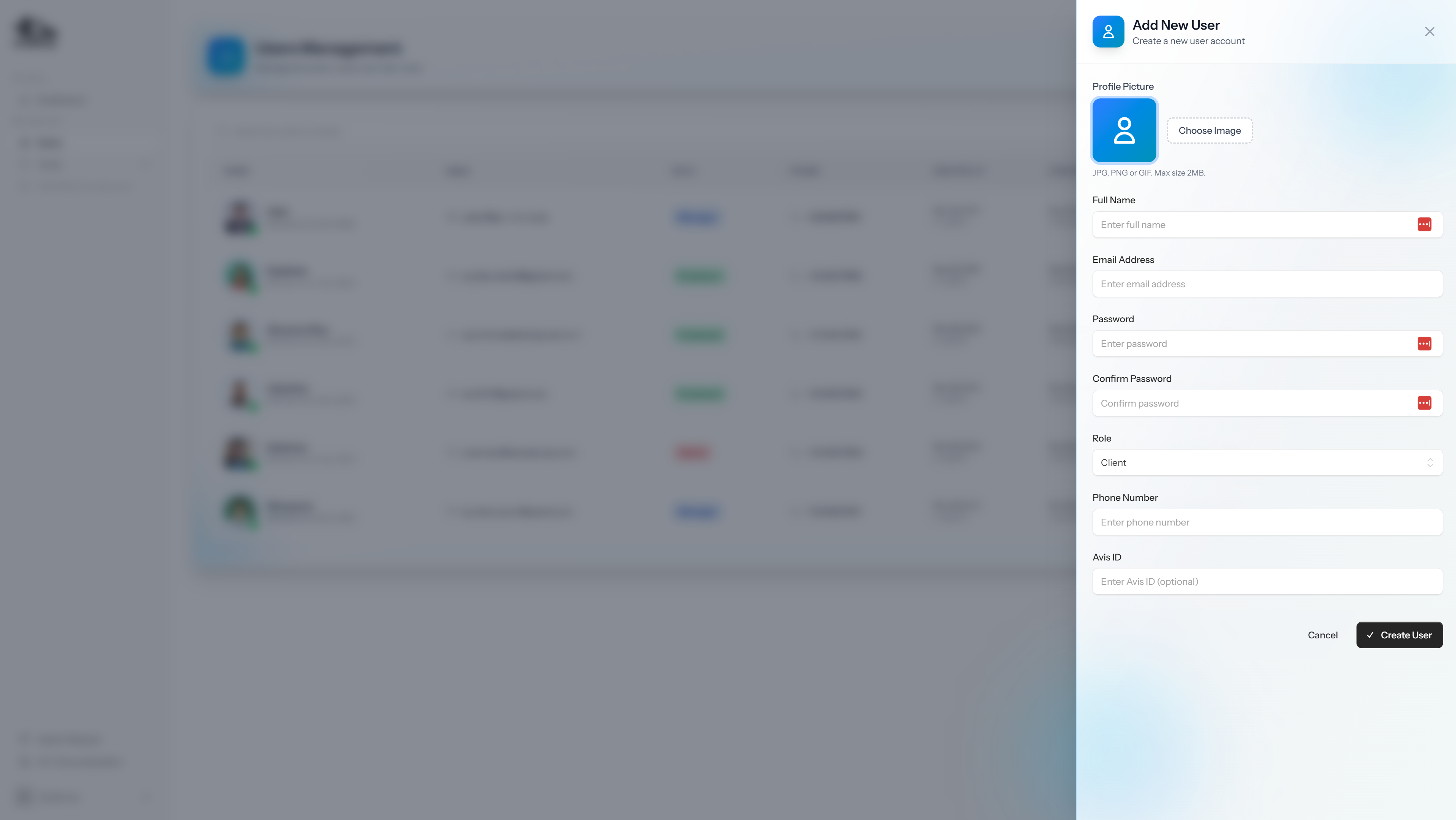
Add User Form
Preview User
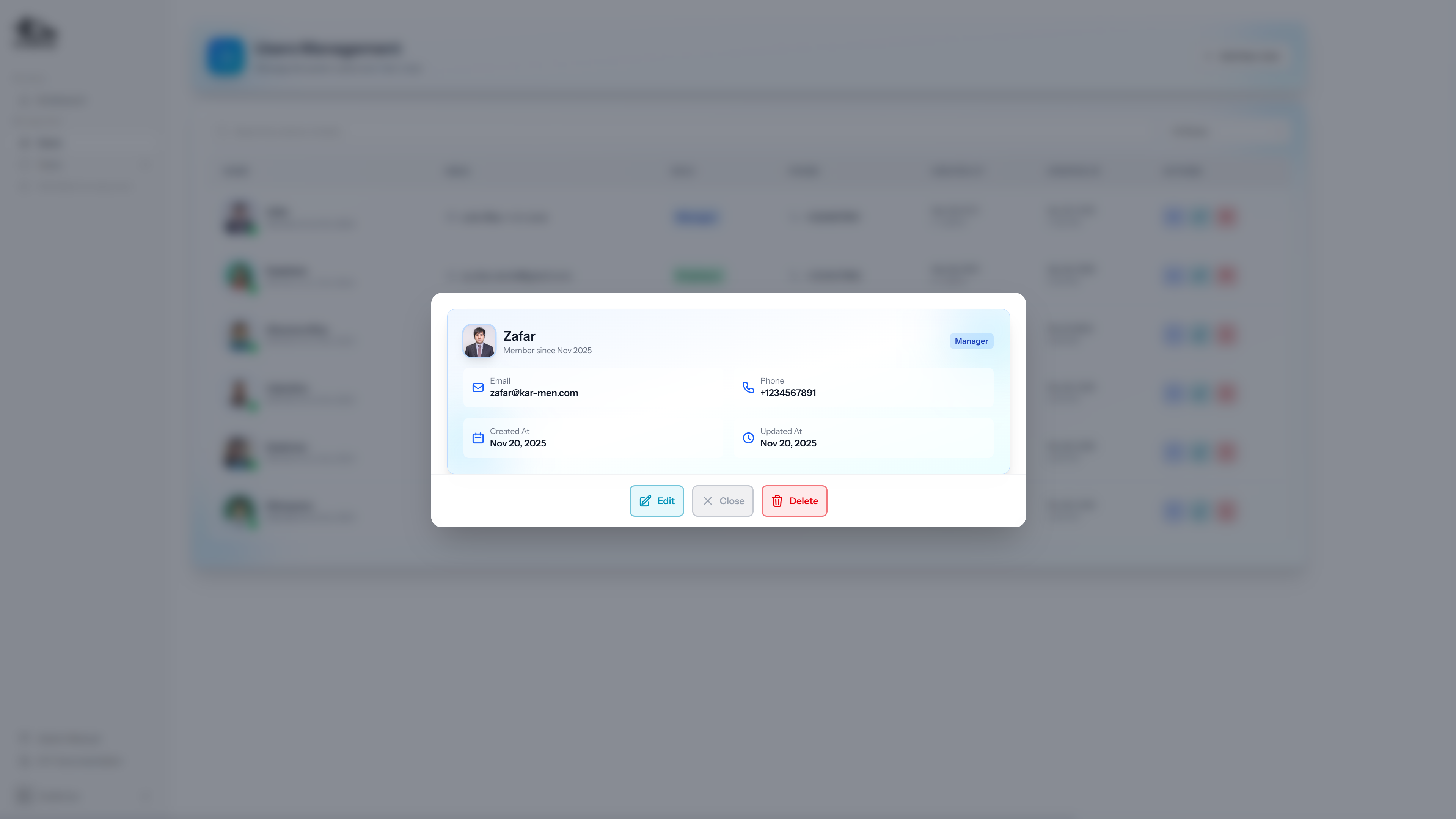
User Management Features
- View all users in a searchable and filterable table
- Create new users with role assignment
- Edit existing user information and roles
- View user details including avatar, email, phone number, and role
- Filter users by role (Admin, Manager, Employee, Client)
User Form Input Fields
- Name: Full name of the user (mandatory field)
- Email: Email address used for login (mandatory field, must be unique)
- Password: Secure password for account access (mandatory field, minimum 8 characters required)
- Phone: Contact phone number (optional field)
- Role: User role selection: Admin, Manager, Employee, or Client (mandatory field)
- Avatar: Profile picture upload (optional field, supports image files)
Task Management
The task management section allows you to create, assign, track, and manage tasks throughout their lifecycle. Tasks can be assigned to multiple users and include work dates and times for scheduling purposes.
Task List
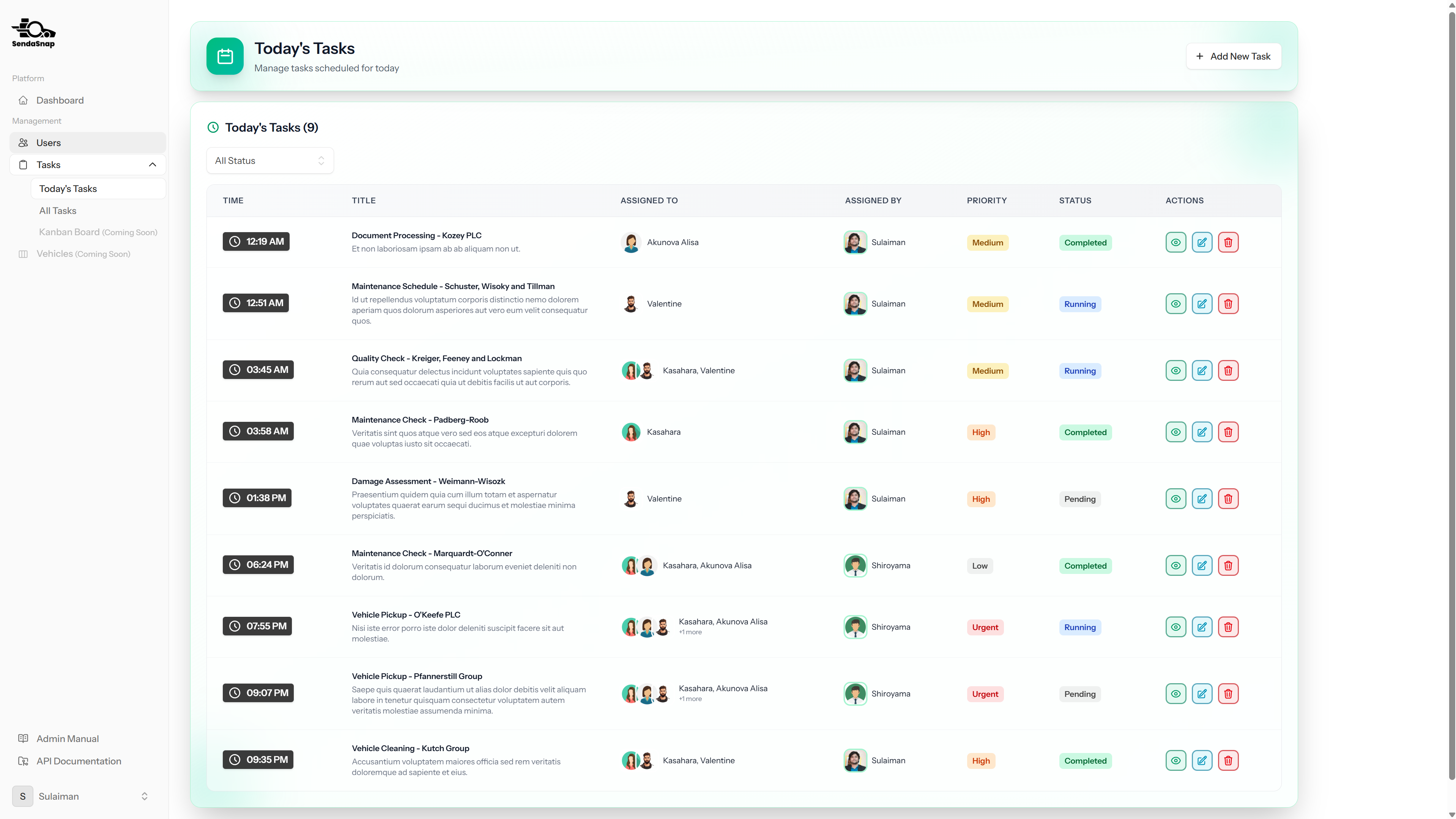
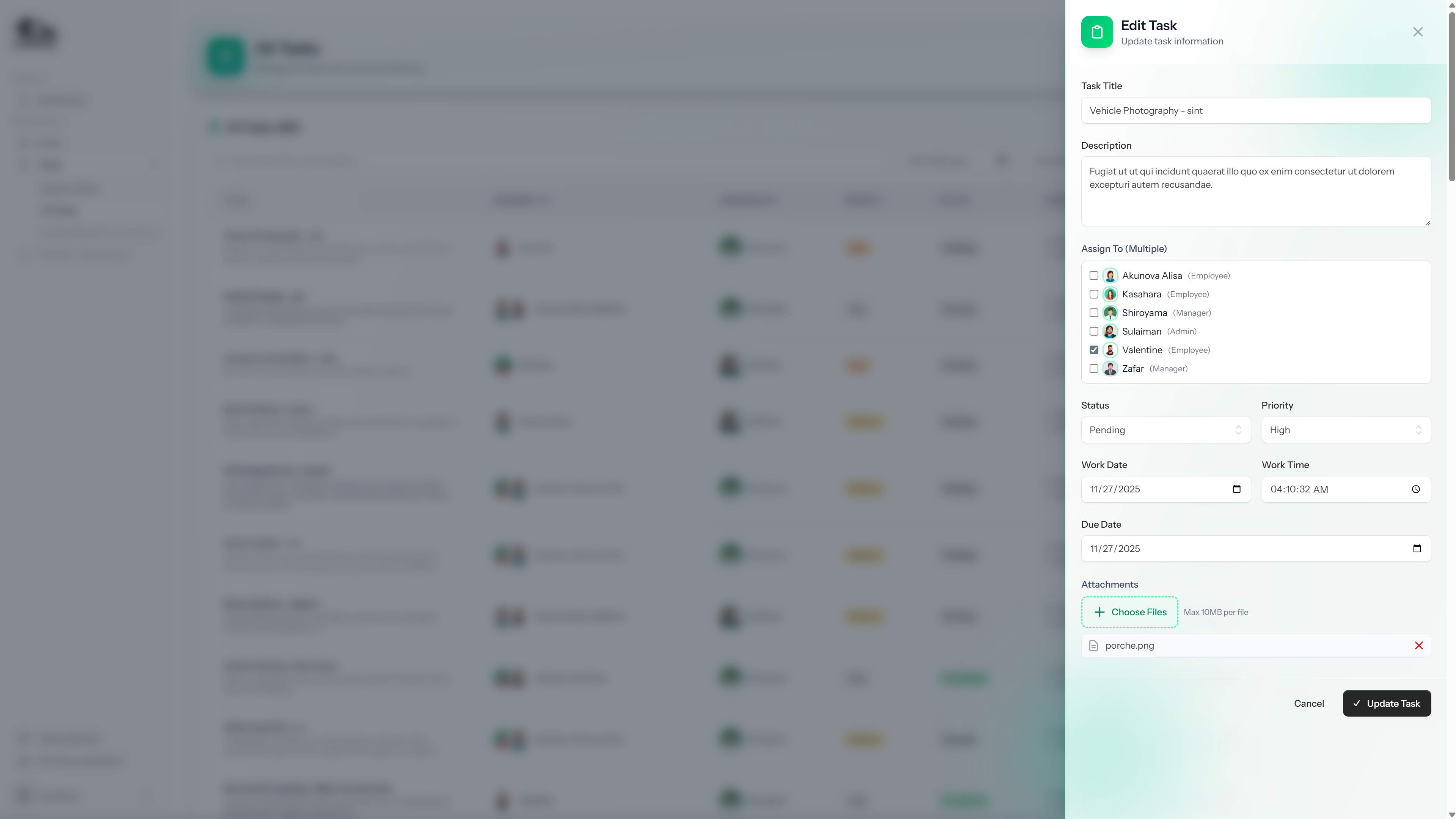
Add Task Form
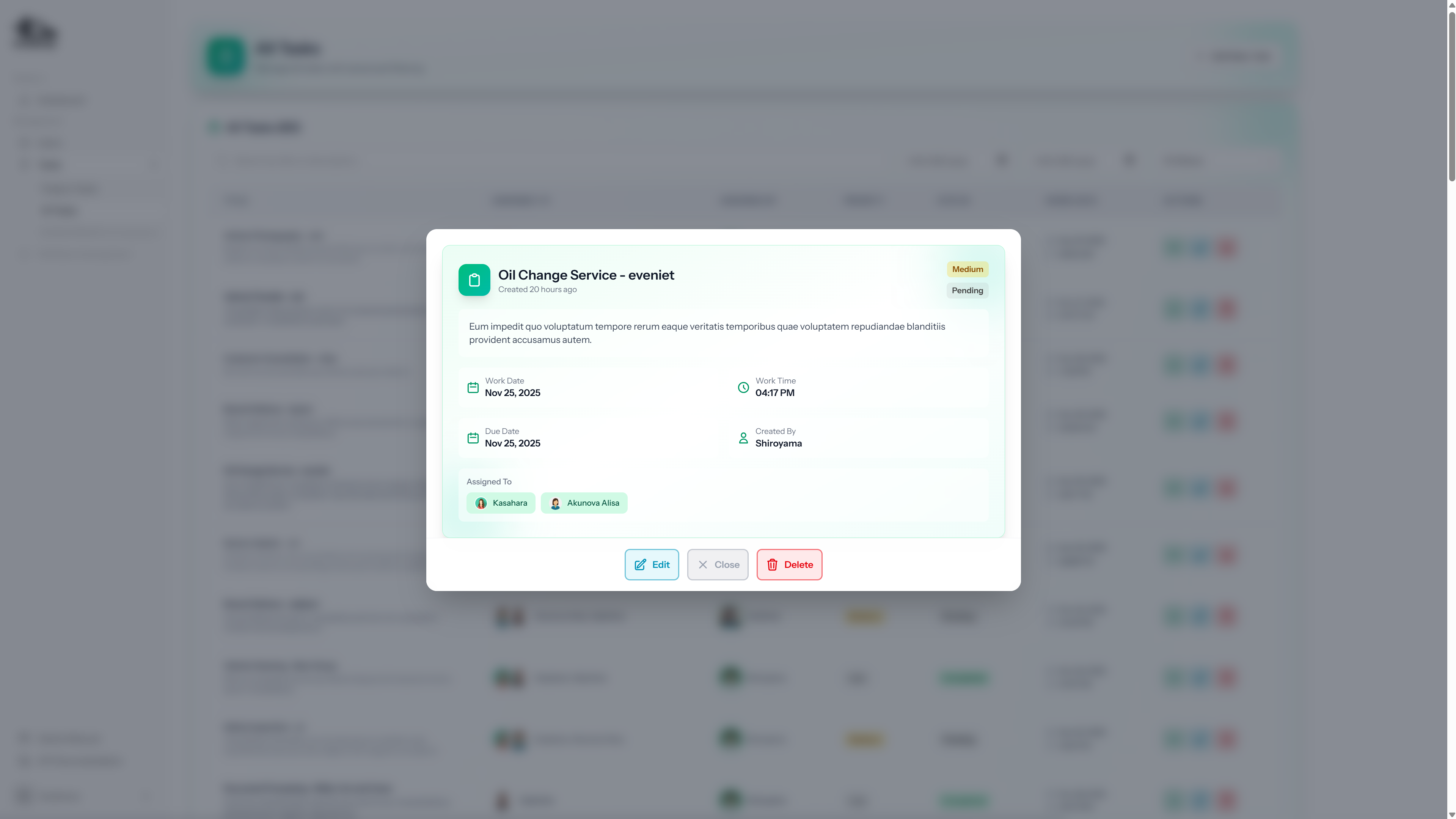
Preview Task
Task Management Features
- View all tasks in a searchable and filterable table
- Filter tasks by status (Pending, Running, Completed, Cancelled)
- Filter tasks by priority (Low, Medium, High, Urgent)
- Filter tasks by date range using from and to date filters
- Create new tasks with detailed information and assignments
- Edit existing tasks to update status, priority, or other details
- Assign tasks to one or multiple users
- Attach files to tasks for additional documentation purposes
- View task details including description, assigned users, and attachments
Task Form Input Fields
- Title: Task title or name (mandatory field, maximum 255 characters)
- Description: Detailed description of the task (optional field, supports multi-line text)
- Status: Current task status: Pending, Running, Completed, or Cancelled (mandatory field)
- Priority: Task priority level: Low, Medium, High, or Urgent (mandatory field)
- Work Date: Scheduled date for task completion (mandatory field, date picker)
- Work Time: Scheduled time for task completion (optional field, time picker)
- Assigned Users: Select one or multiple users to assign the task to (optional field, multi-select)
- File Attachments: Upload files related to the task (optional field, supports multiple files, maximum 10MB per file)